Childcare, coordinated
You’re keeping track of the last dose, the last diaper change, whether your daughter’s had her vitamins and what your son’s meant to wear on Friday for school. It’s time to put all that in one place.
Chico is where the whole household coordinates childcare. And Chico AI is there to help when you’re too busy to key things in yourself.
Private beta · free while it runs · built in Singapore


Nobody sits you down and gives you a system for this. You just end up being the one who knows everything, and then you can’t forget any of it, or be ill, or go out for the evening.
He shouts it from the kitchen while you’re in the shower. You think you did. He thinks you didn’t. Neither of you wrote it down.
You need to work out how much, how long ago and whether it’s too soon. So you’re doing sums on your phone in the dark with a hot, crying child on you.
The email said red and white on Friday, and there’s some project due the week after. You read it once and thought you’d remember it, and now it’s Friday and he has no red top.
Grandma’s at the door, or your helper’s taking over, and you’re rattling off the whole day from memory with one shoe on.
Here’s how Chico takes things off your plate and frees you up to be more present.
Today
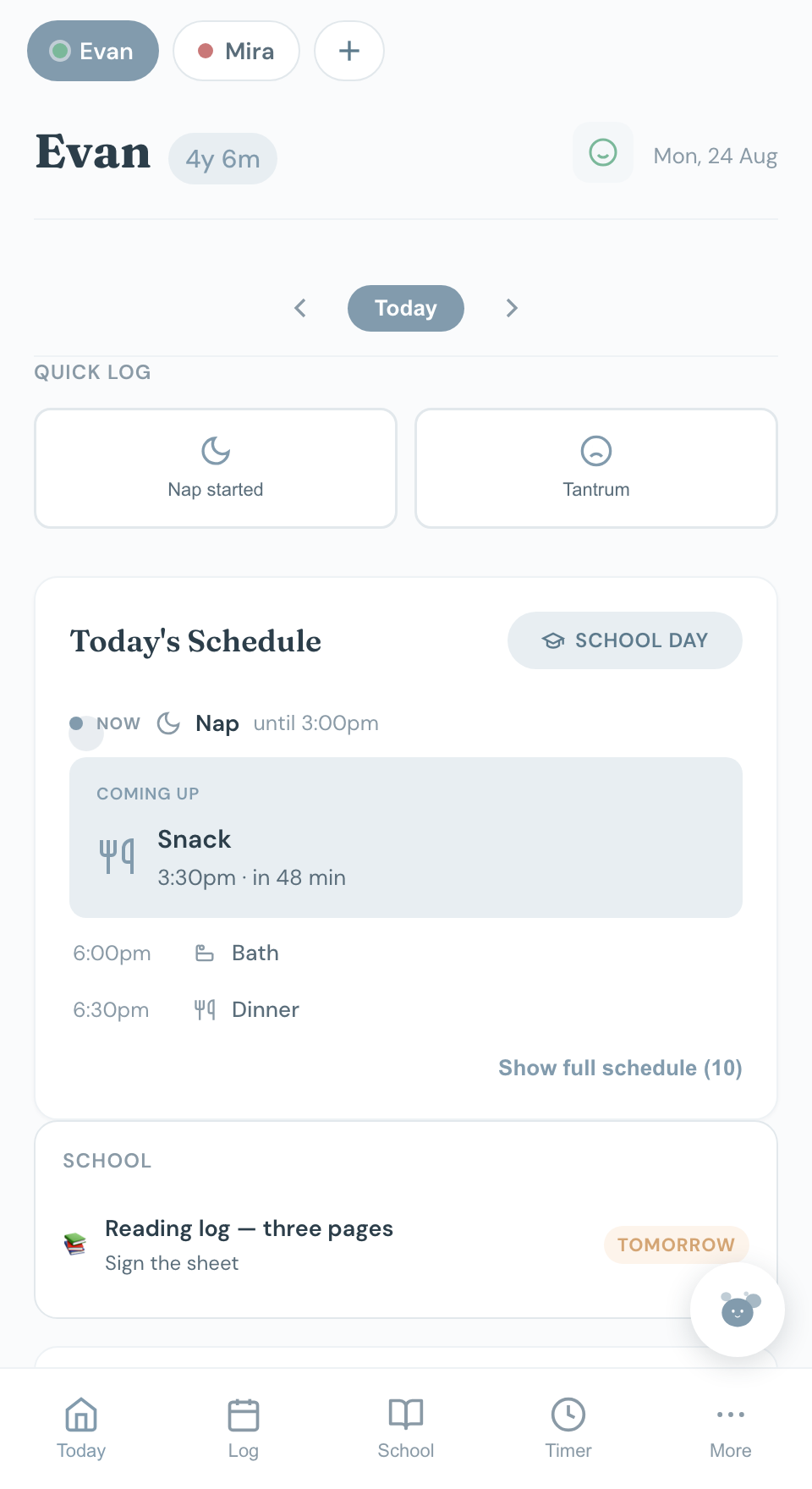
We’re all familiar with the frantic sums that mothers do almost every minute of the day calculating nap times and remembering what to pack. But you don’t have to work it out anymore because Chico remembers for you.
Smart buttons appear for quick logging throughout the day — they’re designed for busy parents on the go.

School
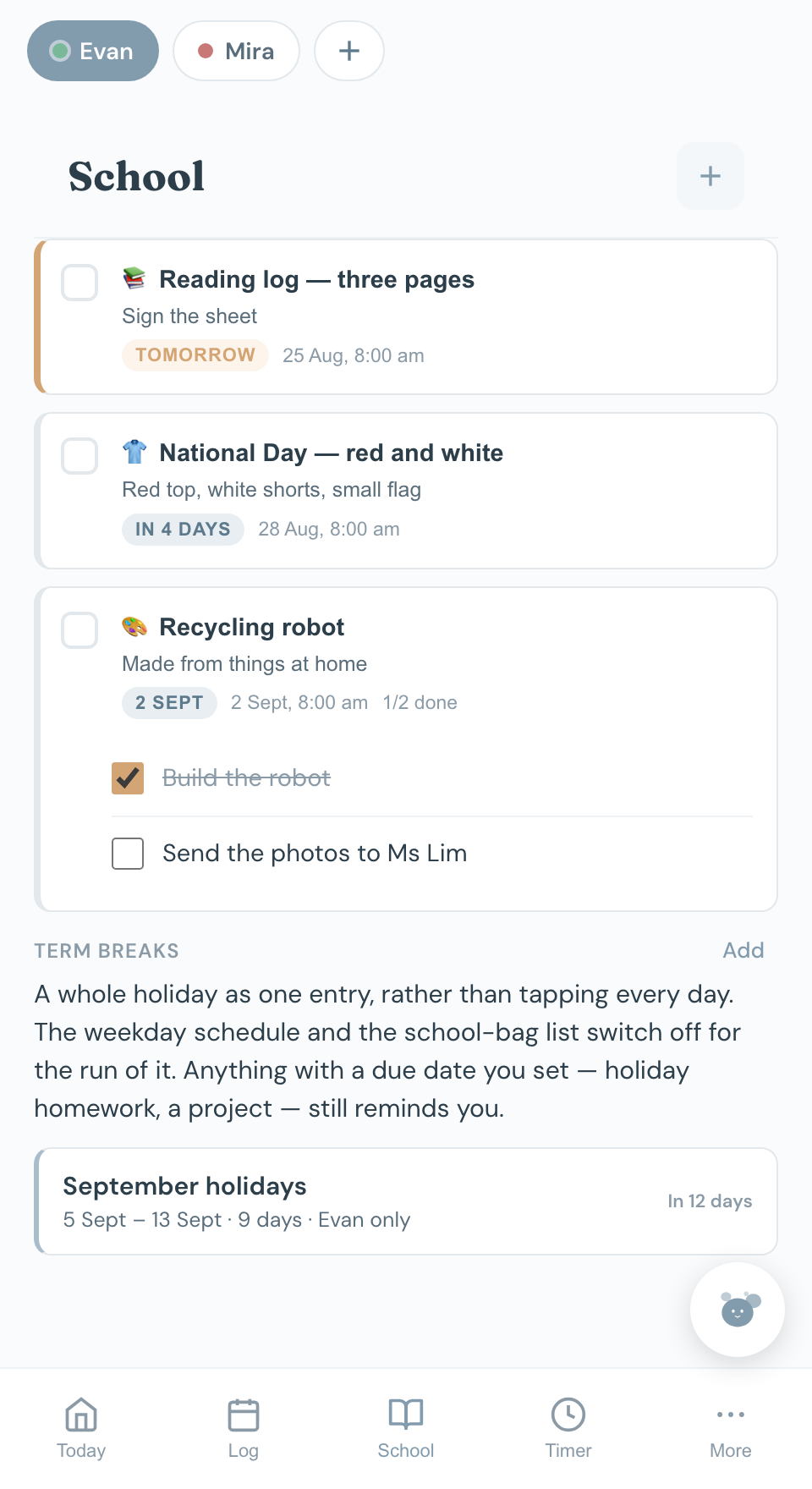
Dress-up days, projects and homework all go in with a due date. You get a reminder the night before to put the outfit out, and another one in the morning in case you didn’t.
When school sends a project home it’s usually several things at once, so you can give it its own little checklist. “Build the robot” and “send the photos to Ms Lim” get ticked off separately, and doing one doesn’t hide the other.
At the end of term you mark the holiday once, with a start and an end. For those dates you won’t see the school-day routine. And if your older one is off school but the little one’s childcare is still open, you can say so.

Health
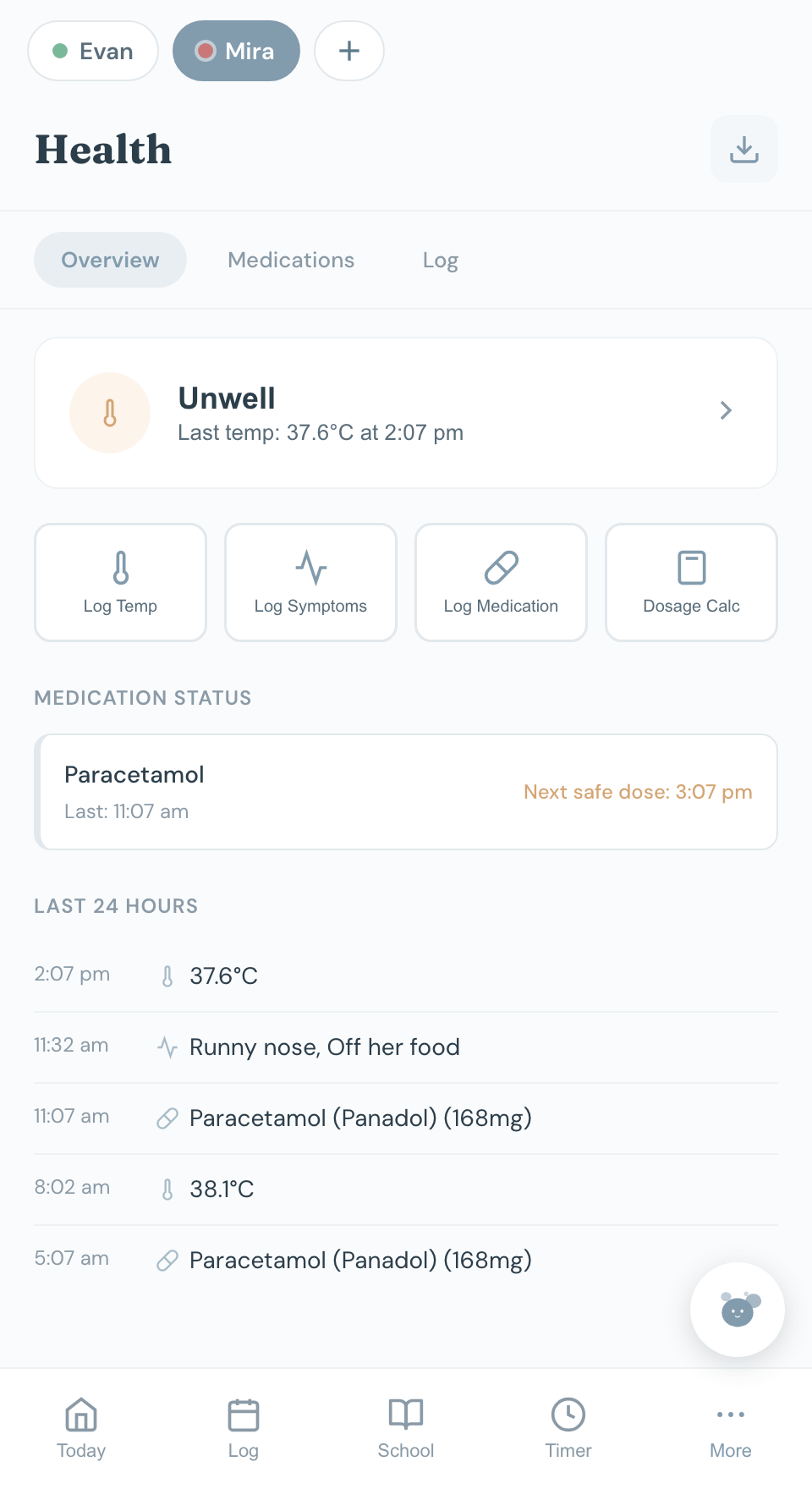
Temperatures, symptoms and doses all go in one list with the time on them. So when the doctor asks when the fever started, you can just tell them.
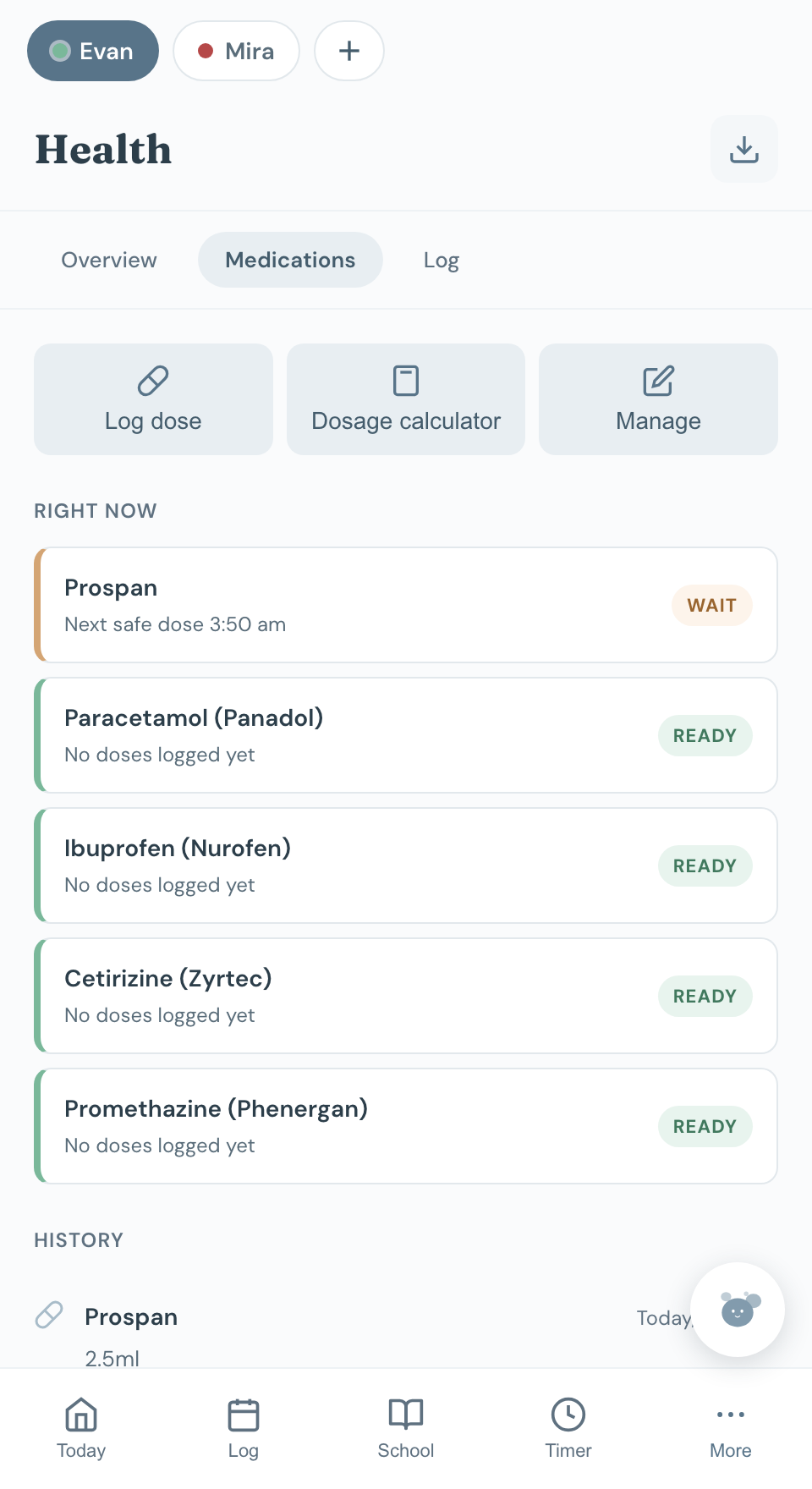
There’s a dose calculator that uses your child’s weight, and the medicine log shows what’s already gone in and when the next one is allowed. You can download the whole lot before an appointment.

Meals
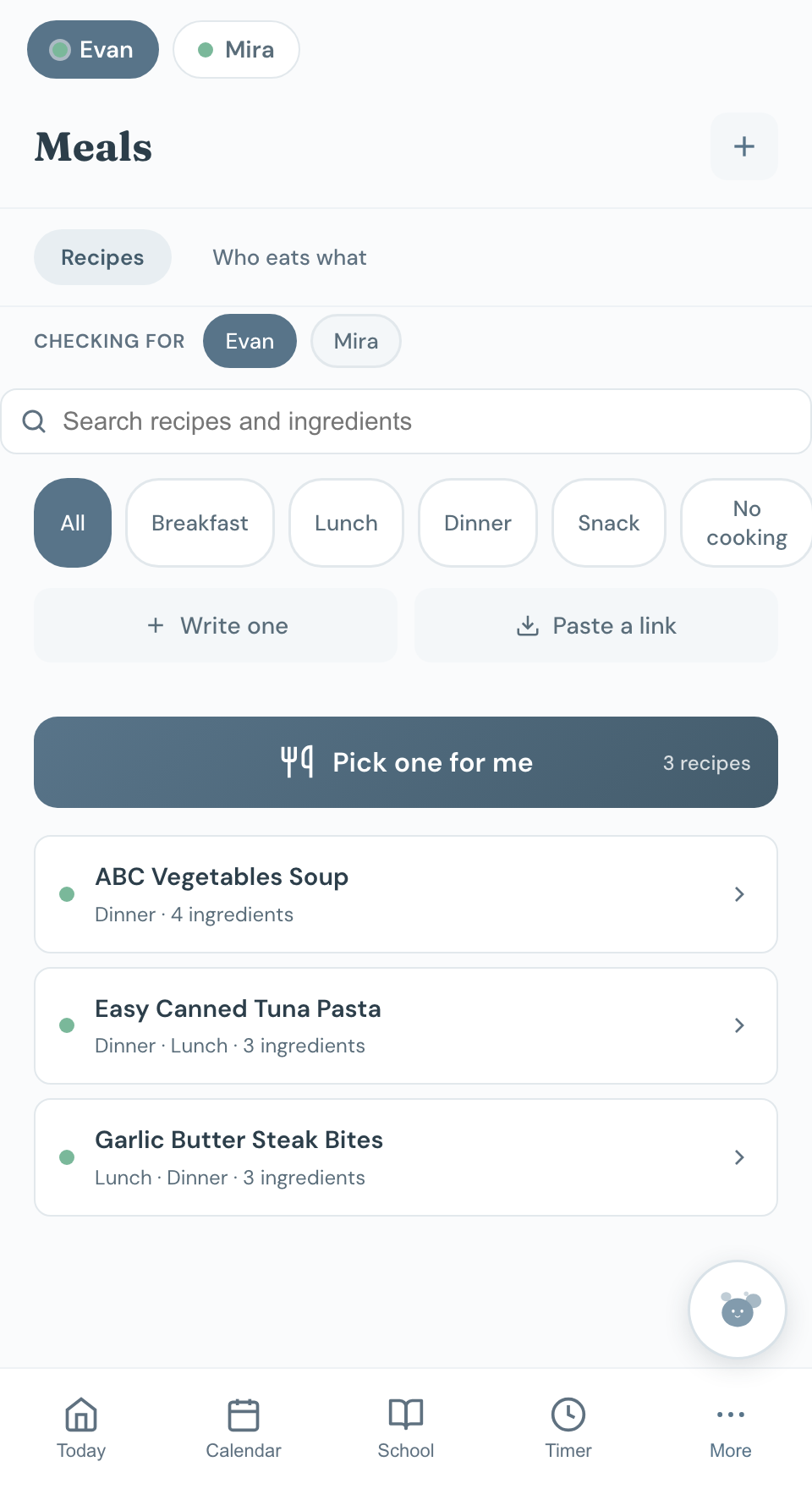
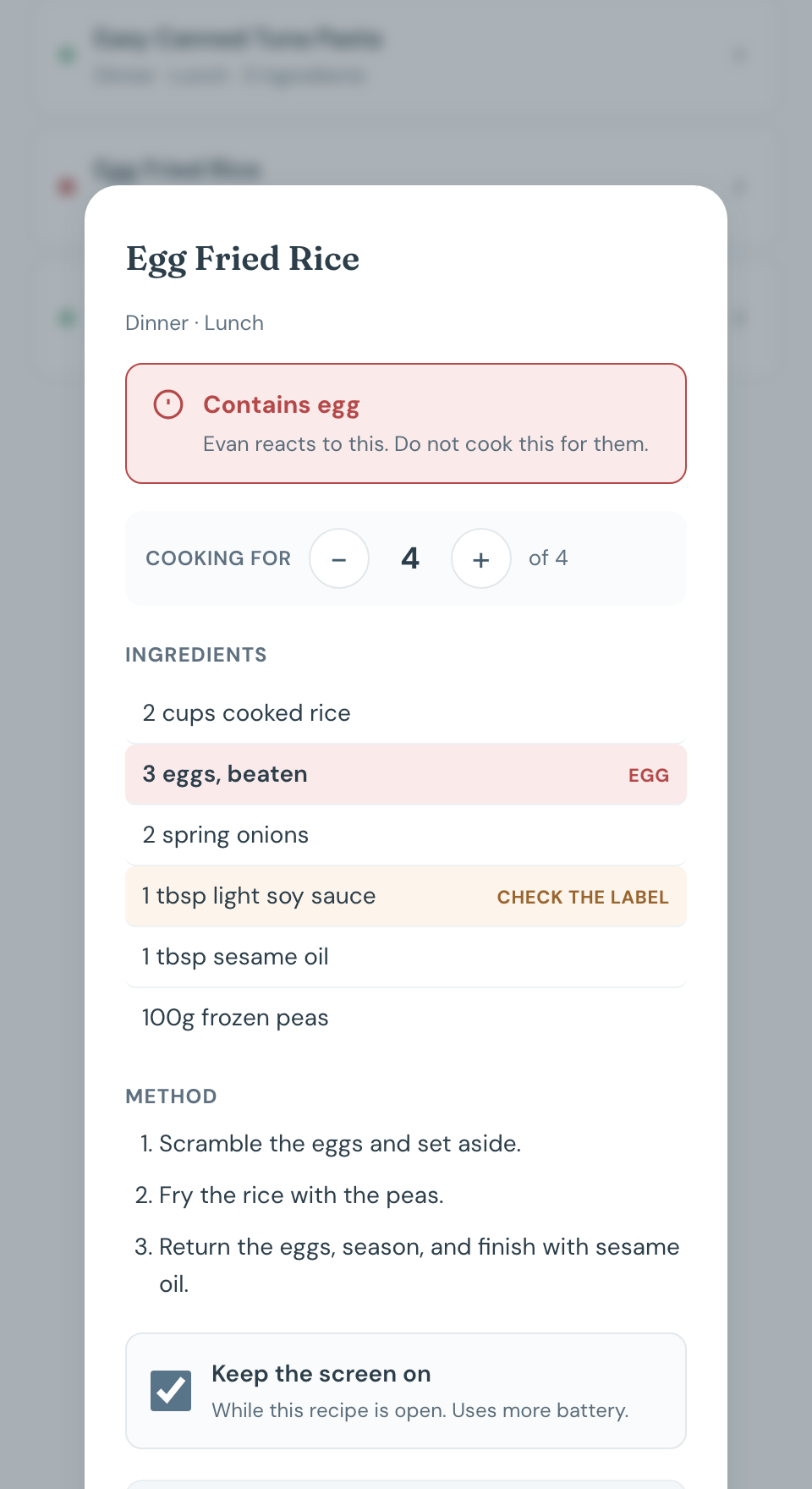
Key in your own recipes, or paste in a recipe URL and let Chico parse it. It helps you check every ingredient against every child’s allergens — the peanut in the sauce, the egg hiding in the noodles — and flags them for you to check*.


*Chico flags known allergens, but it is not medical advice. Always check labels on your own and consult a medical professional.
Visual timer
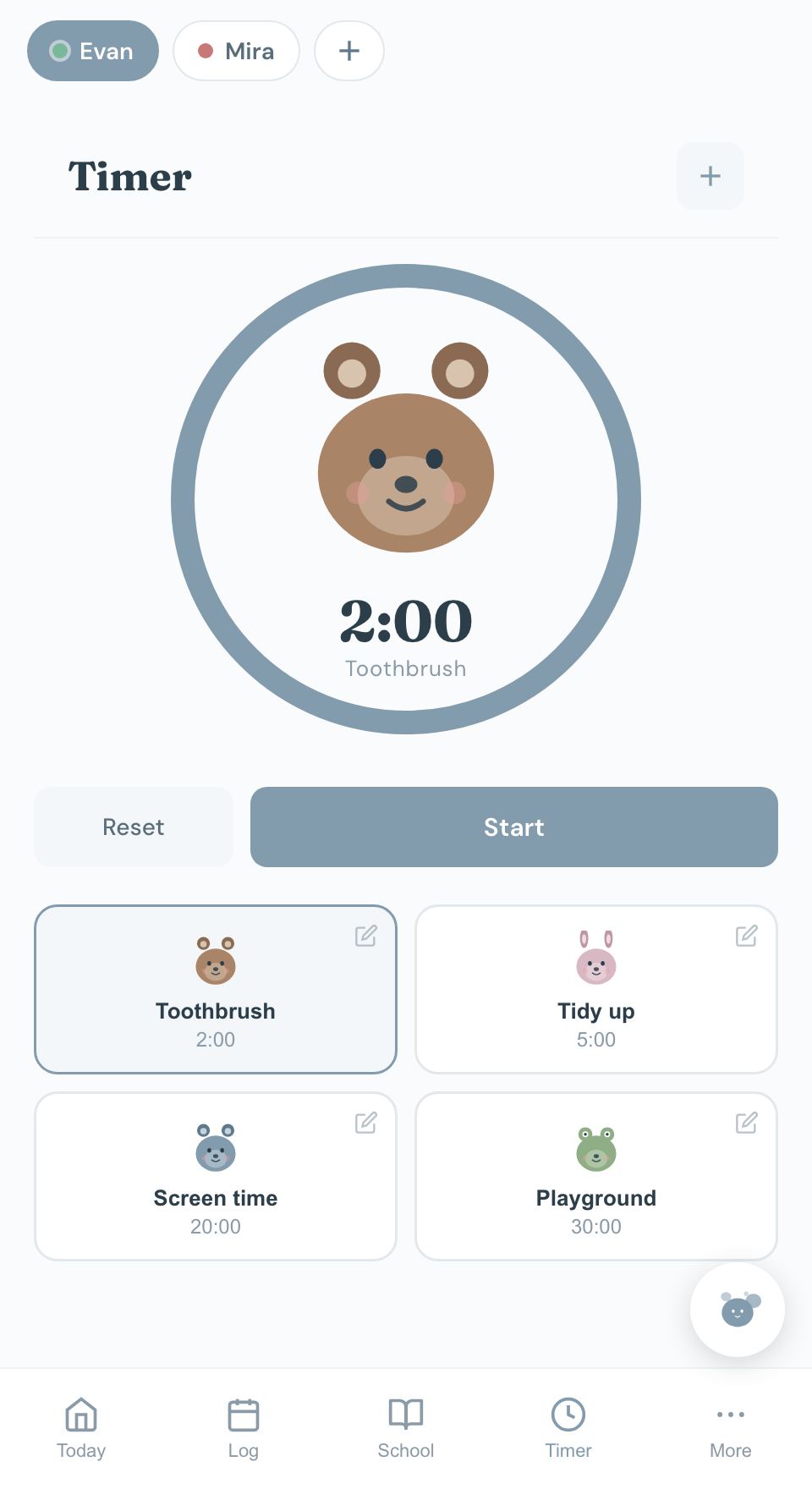
A small child might say no to you, but it’s different when it’s a smiley bear. We don’t know why either. So let the bear be the bad guy: you set the timer and let it count down.
Even if your phone’s screen is off or it’s in your pocket, you’ll still hear a pleasant alarm when it’s finished.

The record
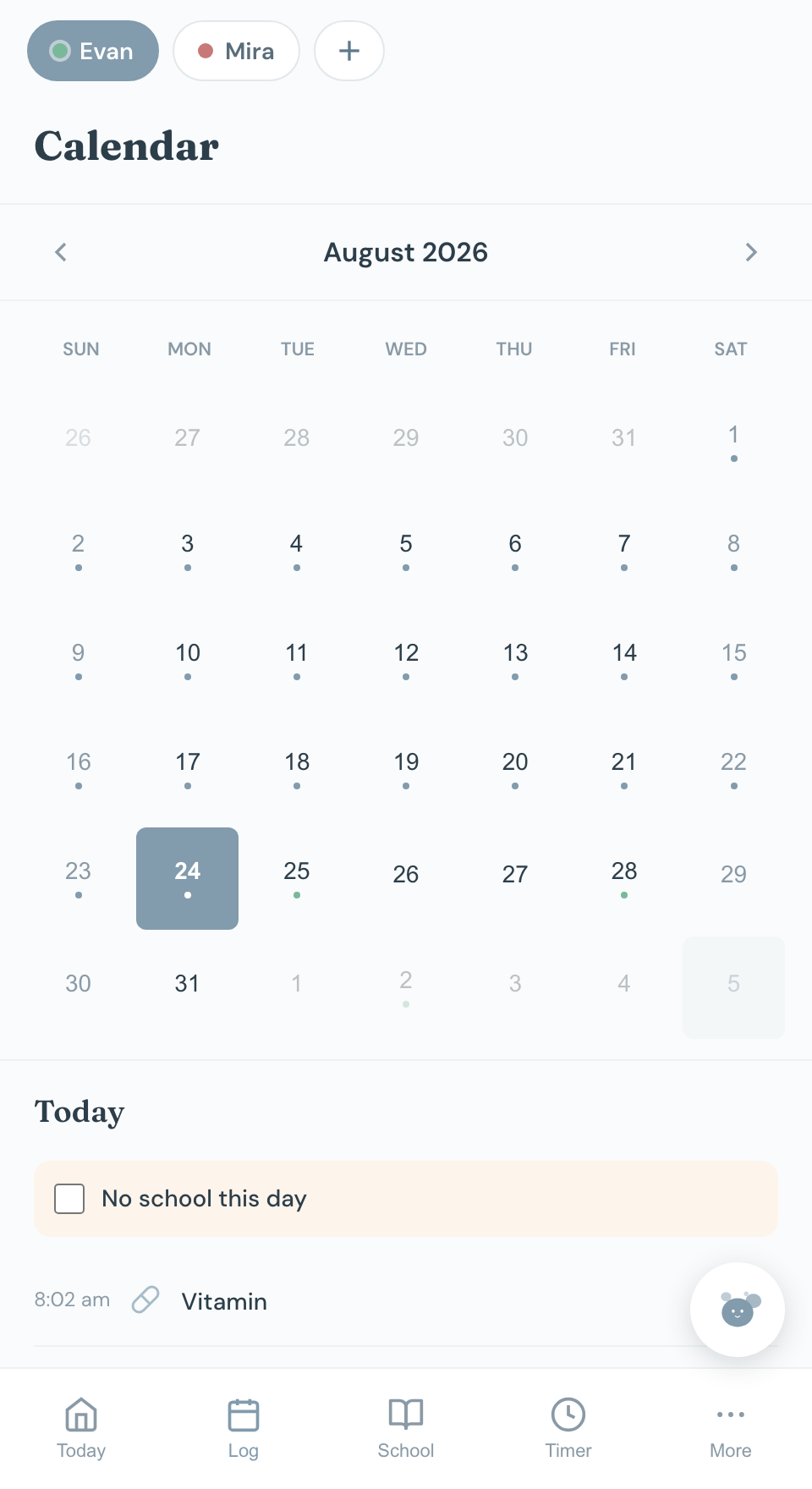
Everything you log goes on a calendar. This is for when the paediatrician asks how many times it’s happened this month, or when you want to check whether the terrible evenings really do come after the short naps.
School dates are on there too, so you’re seeing the whole month in one go.

Activities
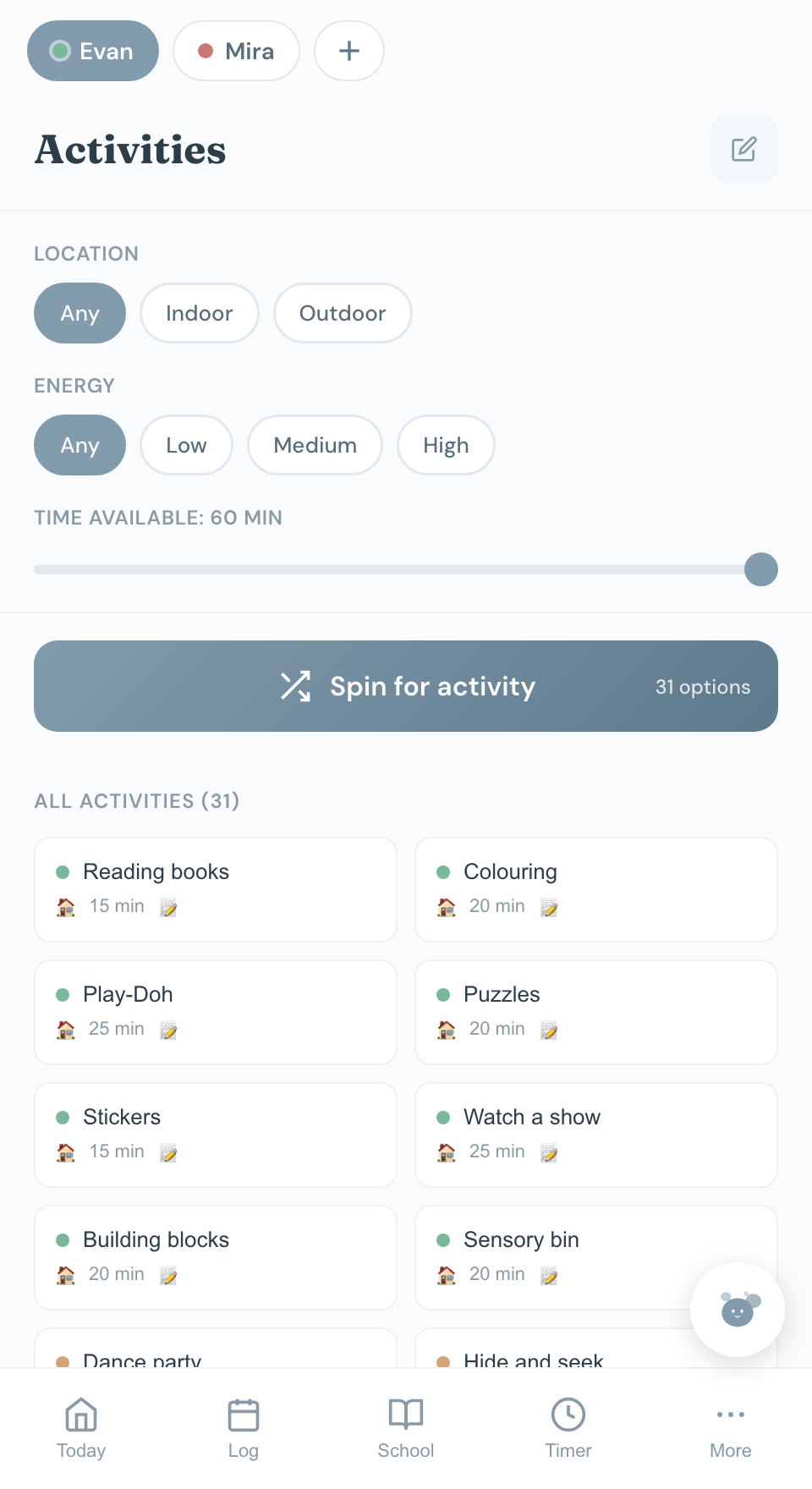
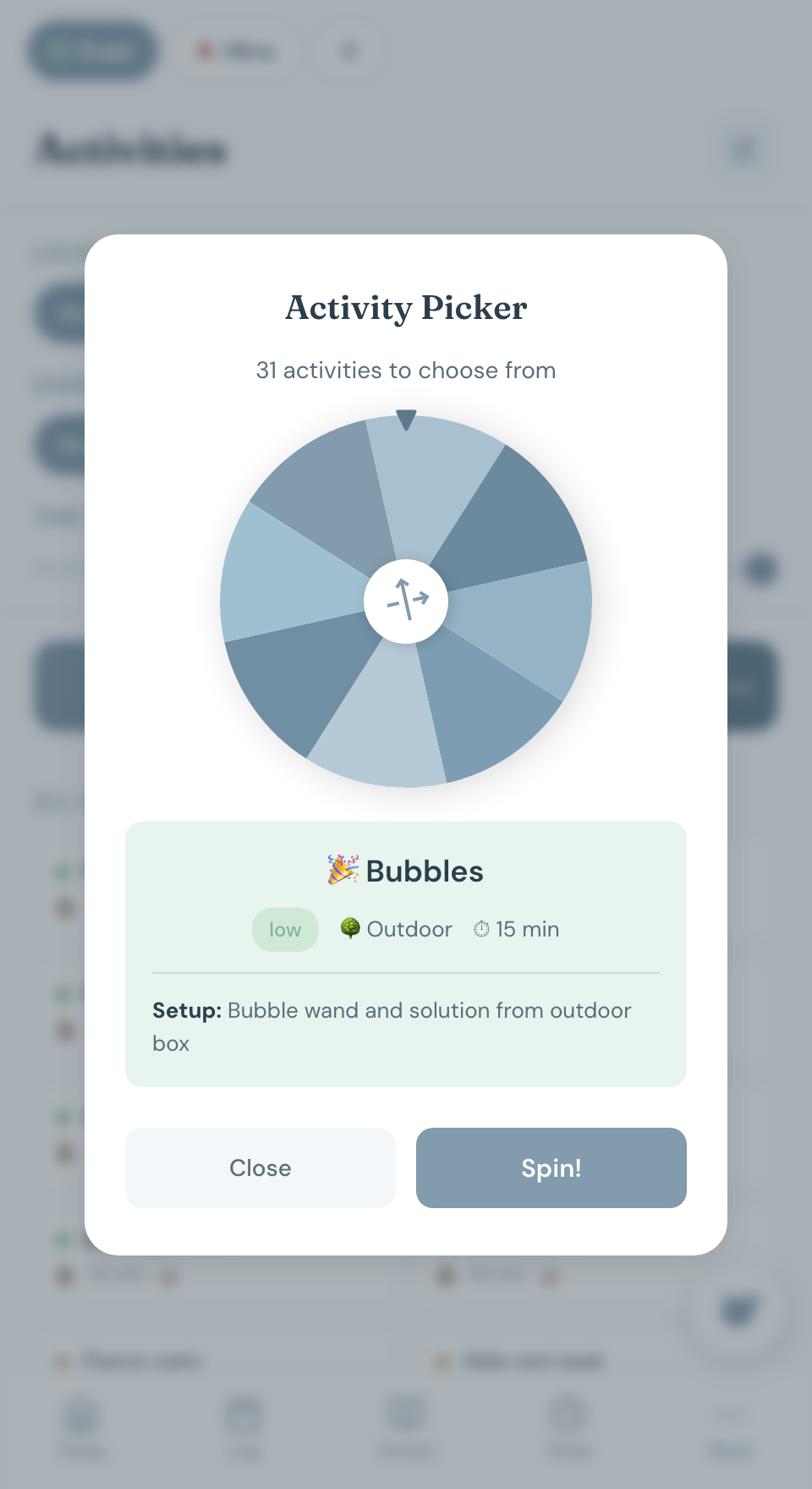
You know the stretch between the nap and dinner, when it’s raining and everyone has had enough of the sofa. Tell Chico AI whether you’re inside or out, how much energy is in the room and how long you’ve got, and it spins a wheel and picks something.


Every activity carries a note about what to get out — the crayons, the mat under the Play-Doh — so whoever is with them can just do it without asking you. The list is yours to edit, and everyone in the family sees the same one.
Exam mode
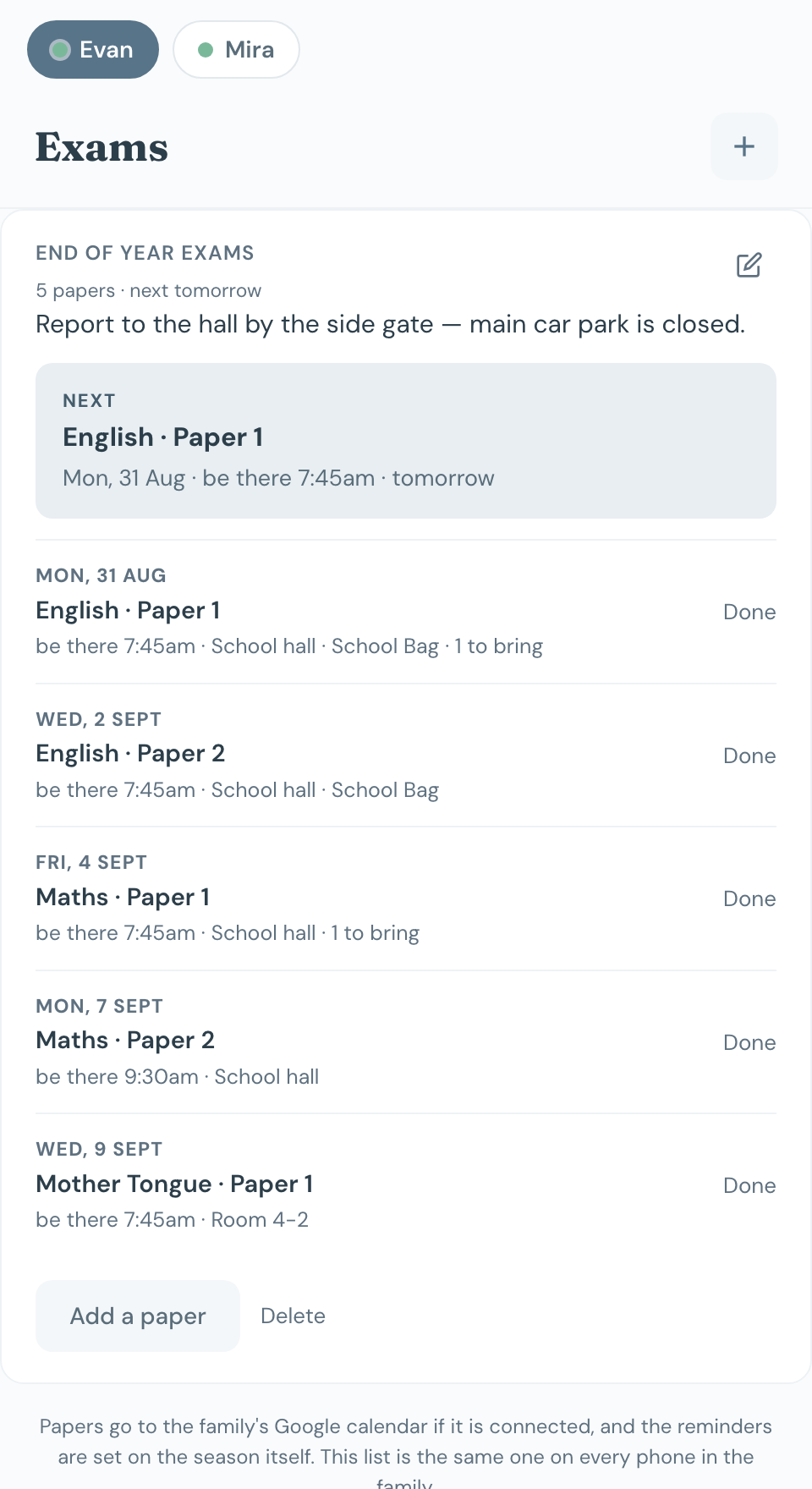
Mid-years, prelims, PSLE, the O-level session. Put the papers in once and Chico carries them: what is on this week, what time they report, and what goes in the bag. Switched on per child, so a household of preschoolers never sees it.

Google Calendar
Connect once and Chico keeps a calendar of its own inside your Google Calendar — school things, classes and camps, meal plans — updated the moment anything changes in the app, coloured per child so one glance says whose day it is.
Meet Chico
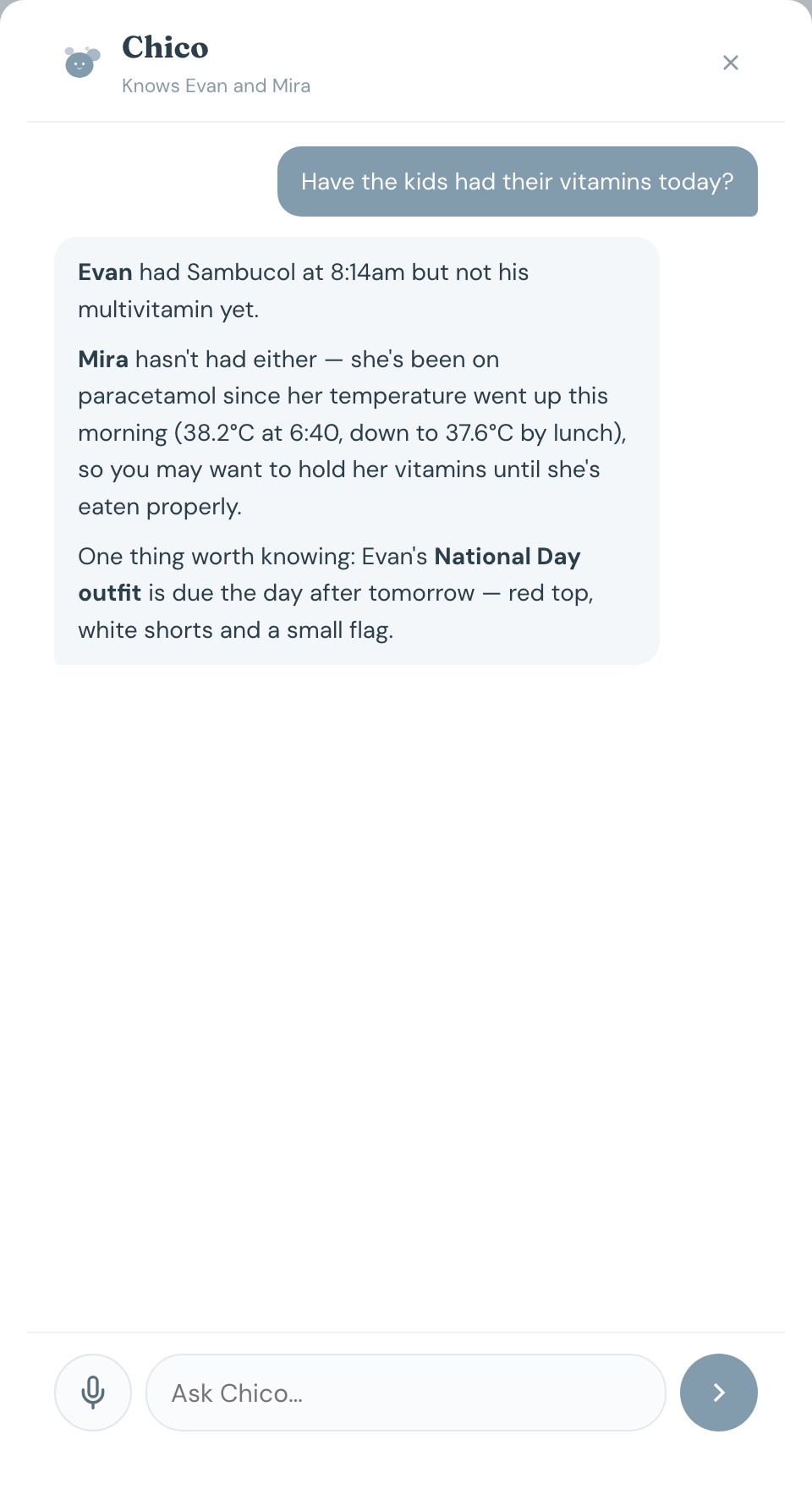
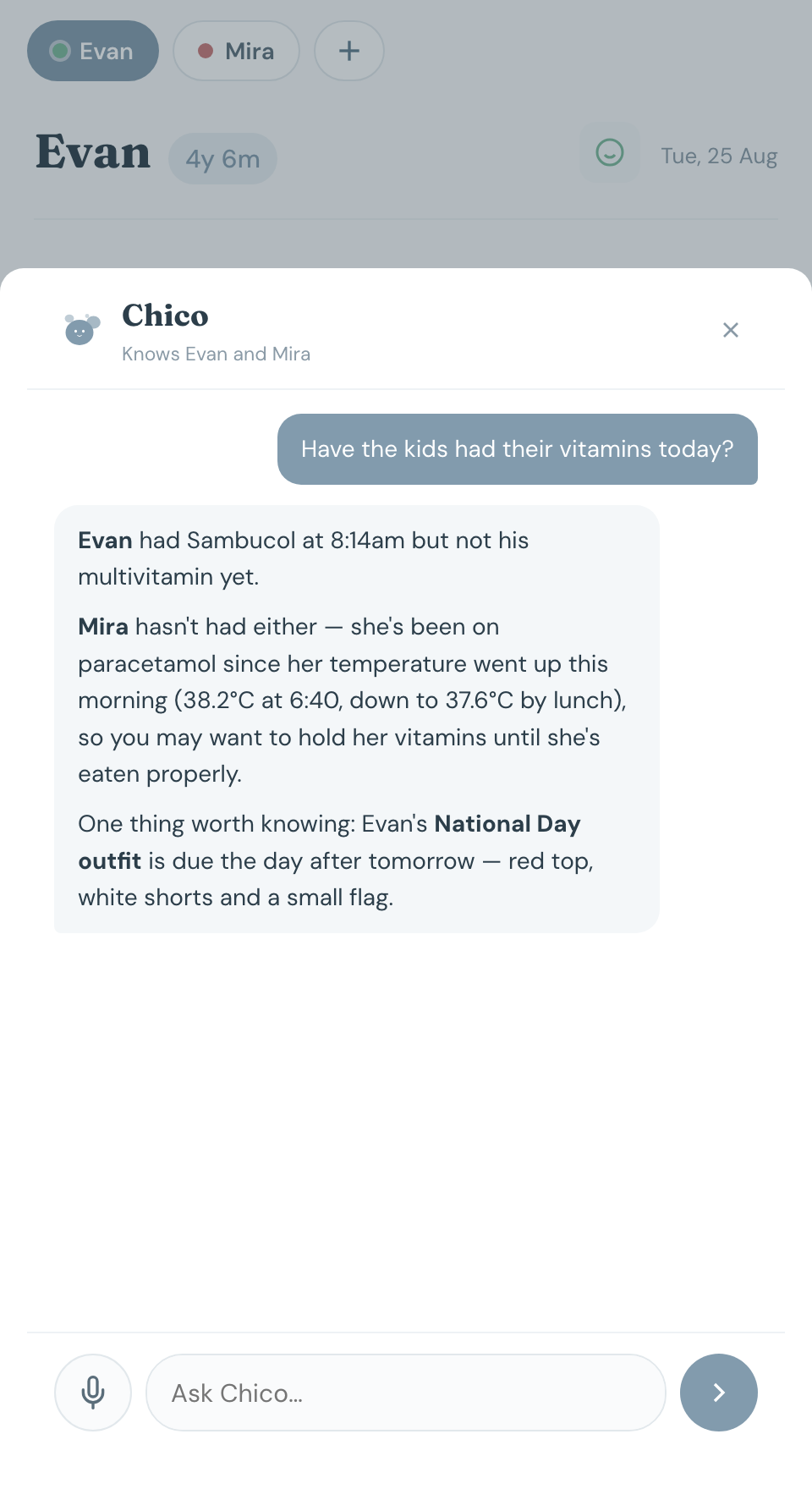
Chico is your family assistant. Text it anything you want to put in, for any of your children, and it confirms and logs it for you. Or ask it for information — it is very good at that. And if your partner asks when the last diaper change was, or what’s on today, point them at Chico. You’re not the only one holding it all any more.
When was Evan’s last diaper change?
Give me the last five days of Mira’s medication
Add a project due next Friday — photos and the model
Write a handover note for my mum
Brief me for the week
Chico AI looks at all your children at the same time, so you can ask about both of them in one go. It reads the weather alongside the week, too — if Wednesday looks like rain and Wednesday is sports day, the briefing says poncho and a spare set of clothes before you’ve thought to check.

Languages
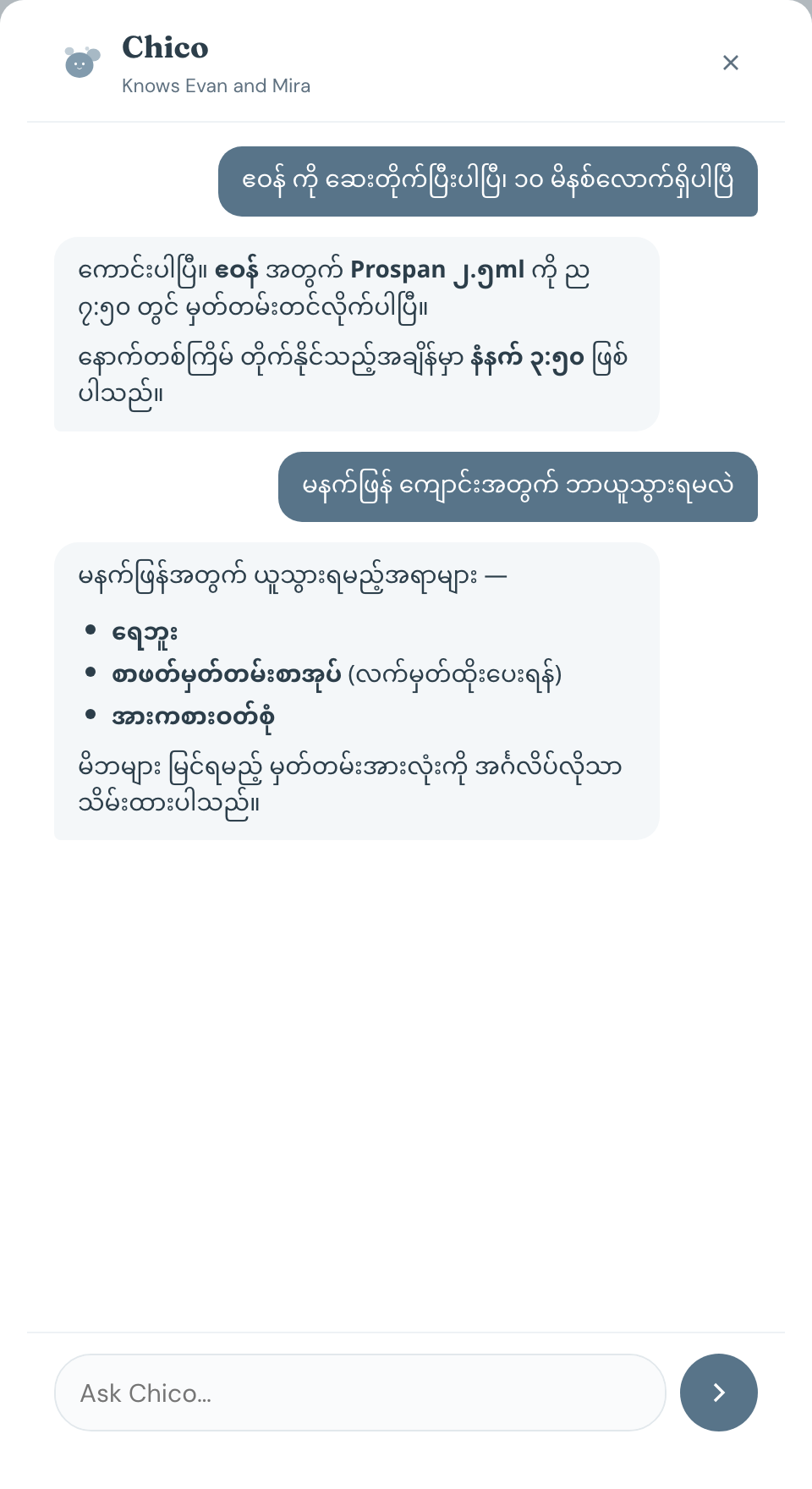
The person actually giving the medicine is often not the person who set the app up. A helper who reads Burmese, a grandmother who reads Chinese — until now the answer was you, translating, at the exact moment you were trying to be somewhere else. Chico AI speaks their language on their phone, and writes the record in English on yours.


Each person picks their own language on their own phone. Nothing about your family changes — your children’s names, your routine names and your notes stay exactly as you typed them, and Chico AI reads them out in whatever language it is being asked in. Medicine names never get translated either, because the name has to match the box in the cupboard.
Patterns
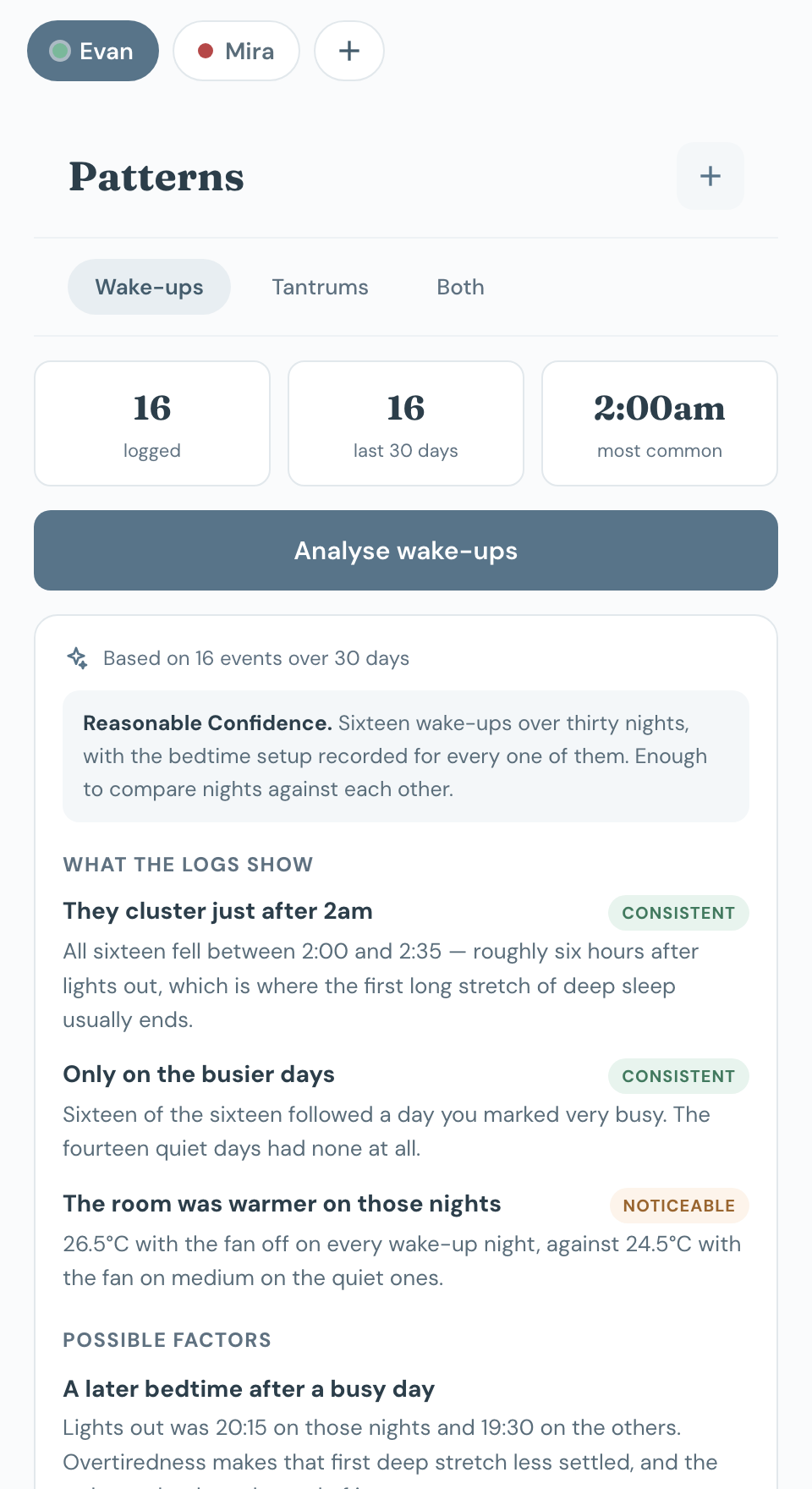
You already know they keep waking. What you cannot hold in your head is which nights, and what those nights had in common. Log the wake-ups as they happen and add a two-minute note at bedtime — room temperature, what they went down in, when the last milk was, how the day had gone — and Chico compares the nights that had a wake-up against the ones that did not.
All sixteen fell between 2:00 and 2:35
Sixteen of sixteen followed a day you marked very busy
26.5°C with the fan off, against 24.5°C on the quiet nights
There is an Illnesses view too: it reads the weeks before each time your child fell sick — sleep, appetite, and the actual weather those days — and shows you what they had in common.
It says when the data is too thin to mean anything, and it will tell you plainly when the two groups look the same. It is not a diagnosis, and it always ends with the signs that are worth a doctor rather than another fortnight of guessing.

Push notifications
Notifications pop up when things are due: medication, diaper changes, meals, naps, vitamins and the rest. An app you have to remember to open is just one more thing to remember.
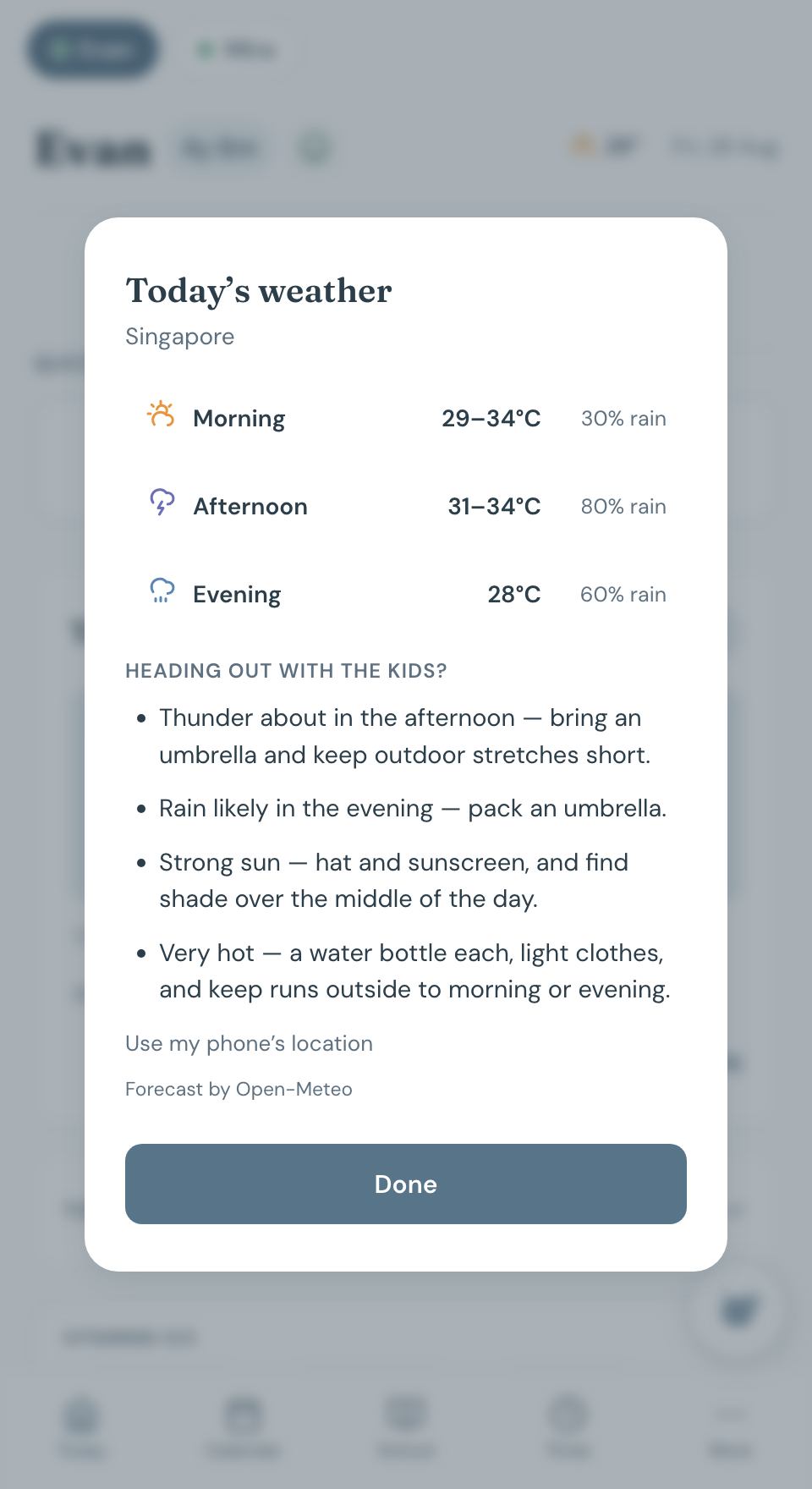
The weather on Today follows your phone — tap it for the morning, afternoon and evening, and what to bring if you’re heading out with the kids. An umbrella before the four o’clock thunderstorm at home; a coat and gloves the week you’re in Melbourne. And when your phone crosses a timezone, Chico asks whether the reminders should come along — or stay on home time for whoever stayed home with the kids.

If you have a child between one and eight, this is for you. It spans a lot at that age: diapers and naps at one end, spelling tests and sports day at the other.
If somebody else takes care of your child and you want to keep each other in the loop, this is for you. Whatever one of you puts in is already on the other one’s phone.
You don’t have to be the default parent every hour of the day. Chico holds the information, so when you hand over, whoever has them can see today’s plan, how she’s doing and the emergency numbers — and you can actually rest.
If your child lives in more than one household during the week, or has caregivers across several, this is for you. One shared record, so the handover is already done before the bag is packed.
Newborn mode drops the timetable — they run in cycles of their own — and shows how long since the last feed, change and sleep instead, with the wet and dirty counts your clinic asks for. Four big buttons in the same place every time: breastfeed, bottle, diaper, asleep.
Five children are a lot to manage on a whiteboard and a shared calendar. Here each one gets their own routines, medicines, vitamins and school things, and you tap between them at the top.
It’s probably not for you if:
There are three things to do, and only the first one takes any thought.
You put in a name, a birthday and the answers to two questions: toilet trained yet, and at school yet. Those decide what you see. You also get a starting routine you can change.
Send it to your husband, your mum, whoever else needs it. They type it in once and they’re seeing the same day as you.
Add it to your home screen, say yes to notifications, and pick the ones you want. Then you can mostly forget it’s there.
Every plan has everything in it, Chico included. You’re just picking how many children, and everyone who helps look after them comes free.
Prices are in Singapore dollars, and you can move up or down whenever things change. It’s free for everyone in the beta. When the beta ends we’ll let you know, and you’re grandfathered into the founding price.
Shared family account — unlimited caregivers
Per-child routines, weekday and weekend
One-tap quick logging
Push reminders with your own lead times
Quiet hours
Medication log and dose timing
Weight-based dosage calculator
Temperature and symptom tracking
Vitamin tracker with a daily nudge
School attire days, projects, homework
Term breaks as date ranges
Packing lists and routines
Visual animal timers
Playtime spinner, by energy level and indoors or out
Night terror and meltdown logging
Pattern analysis across weeks
Chico, the family assistant
Voice input on Android
Caregiver handover notes
Emergency information sheet
Full calendar and history
Works offline, syncs when you’re back
Installs to your home screen
Why this exists
It started because my husband kept asking if I’d already given our son his vitamins and neither of us could ever remember. Then it was the paracetamol timing. Then it was a National Day outfit I only found out about that morning.
None of it is hard. It’s just constant, and it all sits in one person’s head until that person is ill or out or asleep. Everything in here is because of something I needed as a parent.
I built it in Singapore, so it knows our school terms and public holidays, and it assumes there are helpers and grandparents involved.
That is the case it was built for. Each child is set up separately, and you tap between them at the top — so the toddler keeps the full kit (routines, school, meals, play) while the baby gets a short one.
Tick Newborn on the baby and their Today screen drops the timetable entirely. In its place: how long since the last feed and which side is owed, since the last change, since they went down, and today’s feed, wet and dirty counts — plus millilitres from bottles over the last 24 hours if you use them. The buttons get bigger and stop rearranging themselves, because that screen gets read at 3am.
A newborn starts with no medicine list, no vitamins and no packing lists, rather than inheriting the ones a four-year-old needs. Lists and meal plans can be tagged to one child or left for everyone, and the bottom tabs can differ per child — School front and centre for one, nowhere near the other.
The pattern analysis works for a newborn too, under different rules: it reports the intervals and counts and stops there. It will not tell you whether a feed was long enough or a gap too short. That needs a weight, an examination and a clinician.
It opens in your browser and then you add it to your home screen. After that it has its own icon, opens full screen like any other app, and works without signal. Nothing to find in the app store, and it updates itself.
That’s deliberate, not a shortcut. One Chico for every phone beats two that drift apart, and when you tell me something is wrong I can fix it that day — no review queue, nothing for you to update.
Yes, though there are two things to know. Notifications only work on iOS 16.4 or later, and only once you’ve added it to your home screen. That’s Apple’s rule and I can’t get round it. Voice input doesn’t work on iPhone yet either, because Safari doesn’t support it, so you’d be typing.
Getting iPhones properly tested is one of the reasons for the beta.
Only the people you invite can see it. Your family’s records are locked to your family, and that’s enforced by the database itself, so nobody can wander in from another account.
When you ask Chico AI something, a summary of your recent entries gets sent to Anthropic to answer it. It isn’t used to train their models, and they only hold it briefly for safety checks. If you’d rather that didn’t happen at all, just don’t use Chico AI. Everything else works without it.
Yes — helpers get a code of their own. With it they can log the day, tick off lists, and see today’s plan and each child’s allergies; they can’t change routines, medicines or settings, and they can’t export the family’s data.
Chico AI speaks their language too — a helper who reads Burmese or Chinese logs and asks in it, and the record stays in English on your phone.
Your child’s medical history should be yours to take with you. In Settings there’s a button to download everything, and another to delete your account and all of it — both work right now, no email needed.
You can set a holiday for one child and not the other. That’s also how you handle the older one being off school while the little one’s childcare carries on as normal.
Yes. Adding a child moves you up a plan and removing one moves you back down. You don’t lose anything either way.
You’d just be using it for your own family and telling me when something’s broken or missing. I’m keeping it small so I can actually reply to everyone, and it’s free the whole time.
Private beta
It’s free the whole time the beta is running, and there’s a founder price after that.
Still in beta · no card · leave whenever · take your data with you